

Latest Version
坤 刘
Tools
Mac
Free
1084211765
Report a Problem
More About OS Cleaner Pro - Disk Cleaner
Over time, even the most powerful Mac computers begin to lose their initial responsiveness. Hidden cache files, system logs, leftover application files, and duplicate downloads quietly build up, consuming valuable solid-state drive space. OS Cleaner Pro - Disk Cleaner by developer 坤 刘 is designed to address this exact issue, offering a streamlined, two-click solution to sweep away digital debris and restore your Mac's peak performance.
What is OS Cleaner Pro - Disk Cleaner?
Positioned in the essential tools category for macOS, this utility serves as an all-in-one maintenance suite. It scans your entire local storage drive to identify unnecessary files that you can safely delete. Unlike basic cleaning tools, this pro version provides deep-cleaning capabilities that target specific developer files, mail attachments, and hidden system caches that are otherwise difficult to locate manually.
Key Features and Optimization Tools
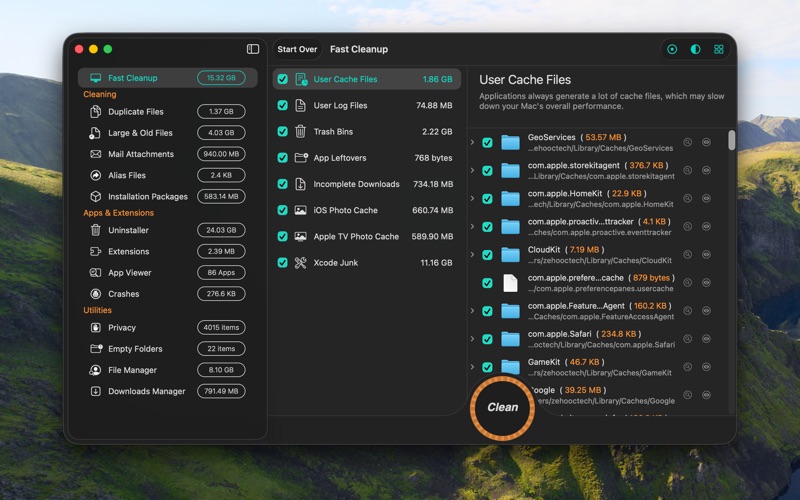
The software divides its functionality into highly targeted cleanup modules, making it easy to manage your system health:
- Fast Cleanup (Free): Quickly targets user cache files, system log files, incomplete downloads, and uninstalled application leftovers. It also clears iOS and Apple TV photo caches alongside Xcode development logs.
- External Drive Management: Easily empties the macOS trash folders hidden on your connected external drives.
- iTunes & Mail Cleaners: Safely removes corrupted or incomplete iTunes downloads, legacy iOS application backups, and local junk mailboxes.
- System Monitoring: Provides real-time tracking of your Mac's CPU usage, memory allocation, network speeds, and storage capacity.
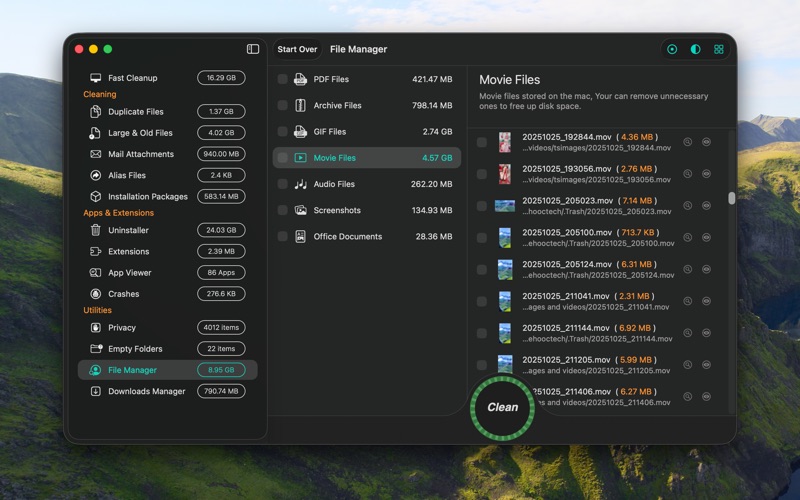
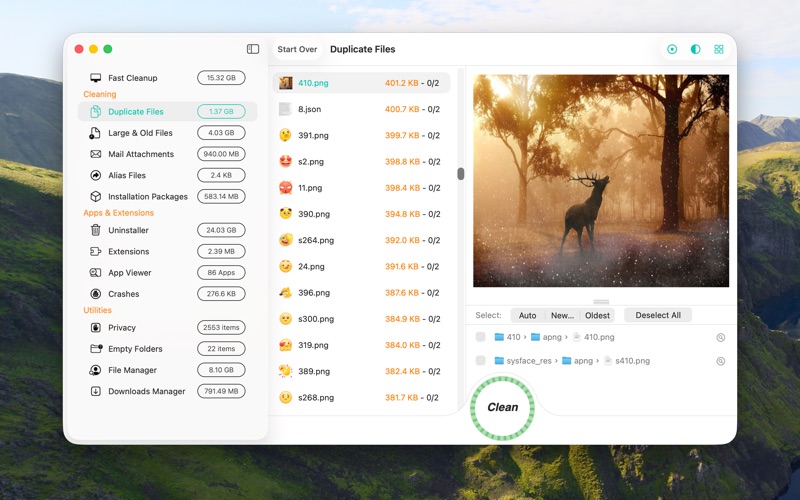
- Advanced File Management (In-App Purchase): Locates duplicate files, duplicate folders, empty directories, large legacy files, and installer packages (such as DMG and PKG files) so you can reclaim gigabytes of storage.
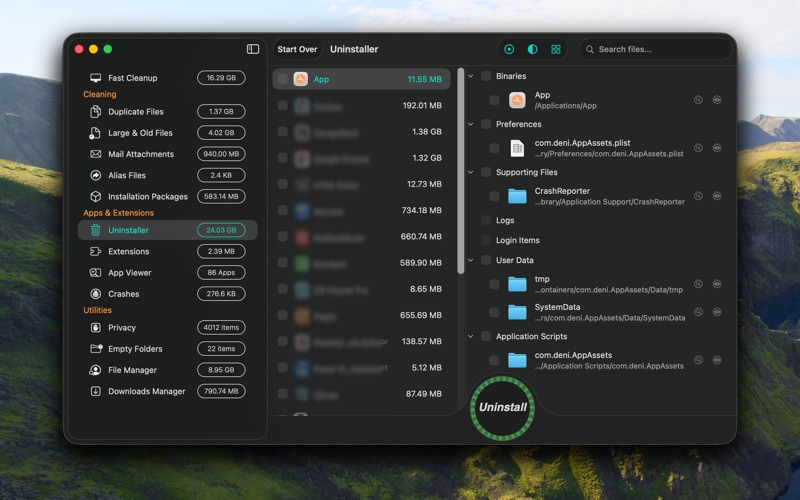
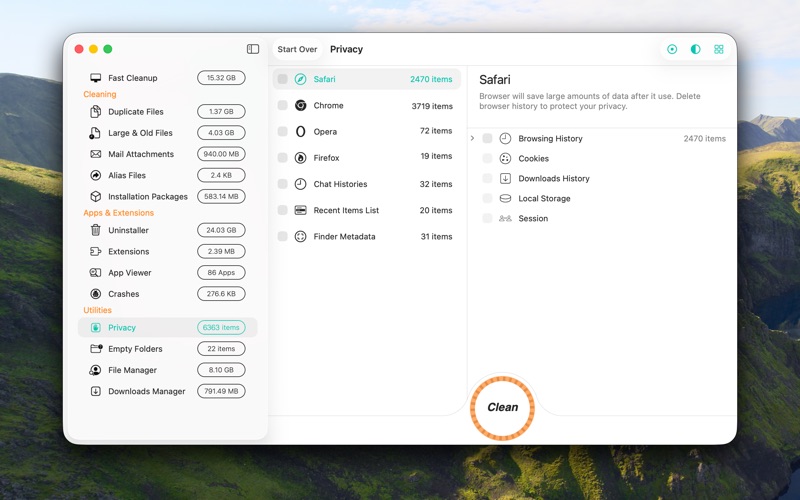
- App Uninstaller & Privacy Safeguards: Completely removes applications along with their associated files, manages browser extensions, and clears tracking data like chat histories and terminal commands.
Who Is This Tool For?
Whether you are a developer dealing with massive Xcode derived data, a creative professional managing duplicate media files, or an everyday user wondering why your storage bar is constantly full, this utility offers the precise control you need. It allows you to customize scan parameters—such as setting minimum file sizes for duplicate searches—giving you complete authority over what stays and what goes.
Our Verdict
If you are looking for an intuitive, reliable way to keep your Mac running smoothly without navigating complex terminal commands, this tool is an excellent choice. To find out more or to add this utility to your workflow, head over to the official Mac App Store to explore OS Cleaner Pro - Disk Cleaner.
Rate the App
User Reviews













Popular Apps









Editor's Choice