Latest Version
Rocky Sand Studio Ltd.
Tools
Mac
Free
672206759
Report a Problem
More About Disk Diag
An Editorial Review of Disk Diag: The Ultimate Mac Disk Cleaner
As our digital lives expand, our hard drives inevitably fill up with system clutter, temporary files, and forgotten downloads. For Mac users seeking an efficient solution, the Disk Diag Mac disk cleaner by Rocky Sand Studio Ltd. offers a streamlined, user-friendly utility designed to reclaim valuable storage space with minimal effort. Operating within the tools category, this application balances simplicity with deep-scanning capabilities to keep your macOS running smoothly.
Who Benefits Most from This Utility?
Whether you are a developer with accumulated build files, a creative professional managing massive media libraries, or an everyday user wondering why your storage is suddenly full, this tool caters to your specific bottlenecks. Rather than forcing you to dig through hidden library folders manually, the application categorizes digital waste so you can make informed decisions about what to delete.
Key Features of the Disk Diag Mac Disk Cleaner
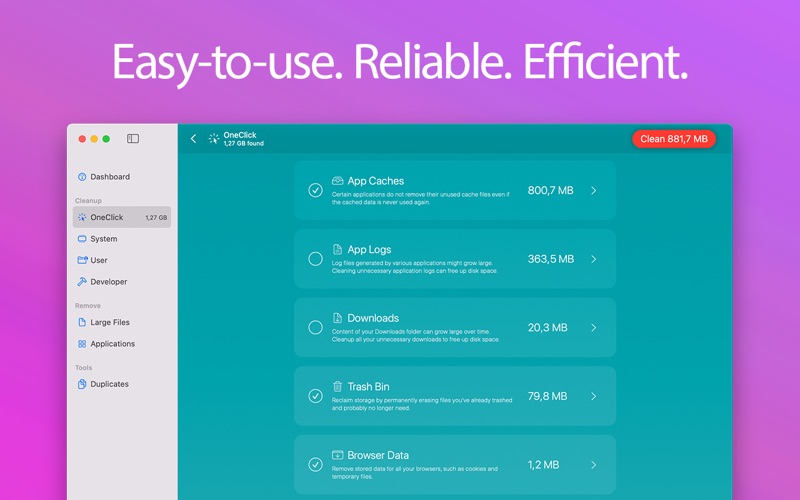
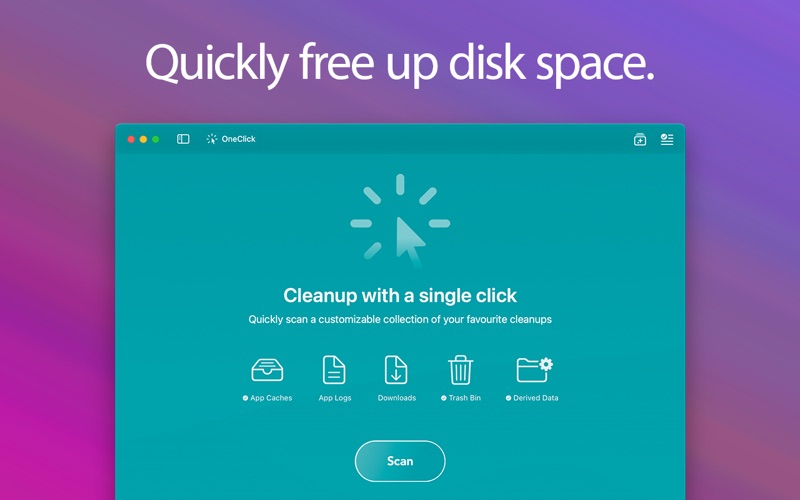
- Quick Cleanup Scanners: The software targets three primary zones:
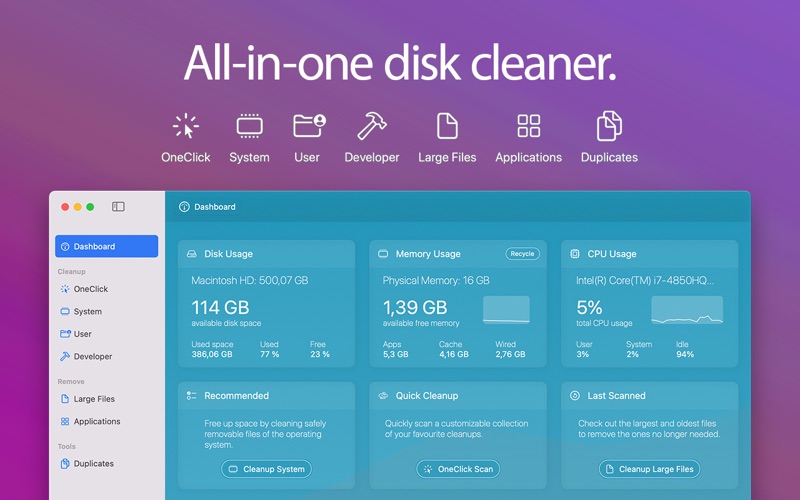
- System: Safely removes redundant operating system caches and log files.
- User: Pinpoints unused files and documents hiding in common user directories.
- Developer: Clears out bulky project archives and residual files left behind by development environments.
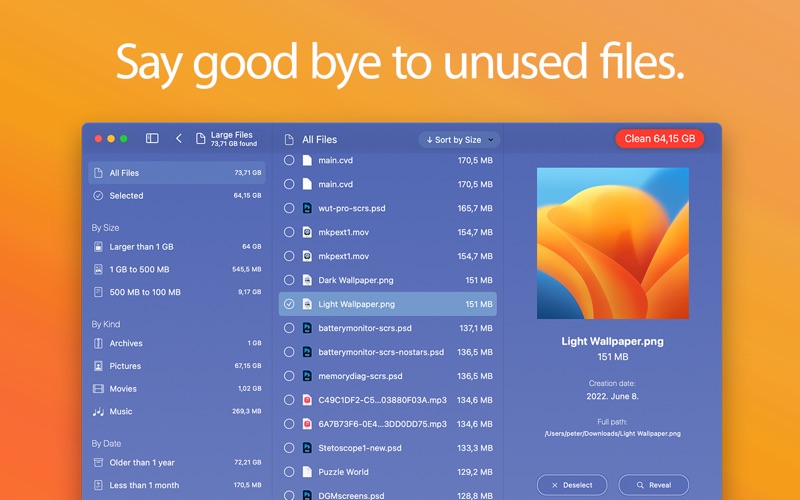
- Deep Removal Tools: Easily locate your largest, oldest files to free up massive blocks of storage, or completely uninstall old applications that are no longer in use.
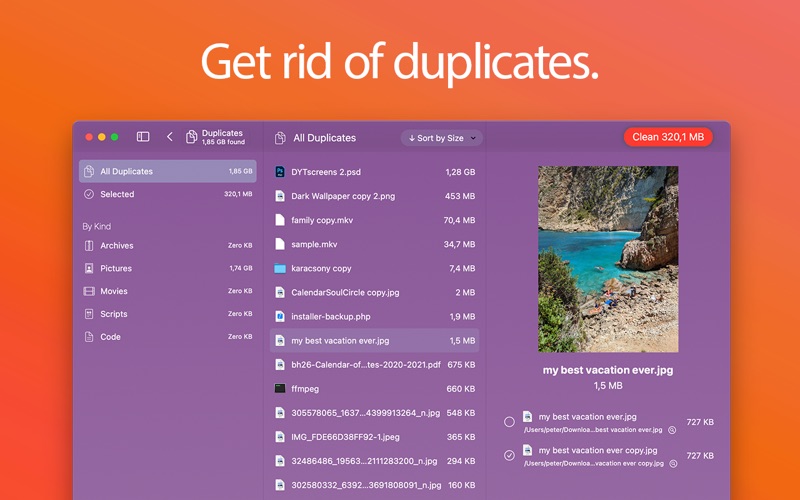
- Duplicate File Finder: Reclaim storage by identifying and removing redundant, identical copies of files scattered across your drive.
- System Dashboard & Menu Bar: Monitor your memory, CPU, and disk usage at a glance, with quick optimization links accessible directly from your macOS menu bar.
Operational Limits and Licensing
While the utility is free to download and explore, users should note that the base version limits the removal of scan results to 1 GB per month. To unlock unlimited cleaning and remove larger volumes of data, an in-app purchase for "Unlimited Cleaning" is required. This model allows users to thoroughly test the software's scanning accuracy and interface before committing financially.
Final Verdict
The Disk Diag Mac disk cleaner stands out for its straightforward, two-click execution and highly organized dashboard. It removes the stress of manual system maintenance, making it an excellent addition to any Mac user's toolkit. To try this utility and optimize your hard drive, visit the official Mac App Store to download the application directly from the developer.
Rate the App
User Reviews














Popular Apps









Editor's Choice